



UI plug-in is a set of application files that contain the logic for a new custom panel (e.g., step-by-step forms, fields, default values). With the help of the plug-in, you can install the panel in the main navigation menu or at a specific entity level (e.g., customer, reseller). Upon installing the plug-in, the custom panel appears in PortaBilling.
The configuration steps are described in the UI plug-ins documentation.
This way, you can integrate PortaBilling with any external system, e.g., an NMS (Network Management System) for monitoring network performance, circuit management, and configuration. Create a UI plug-in, install it in PortaBilling, and operate with the NMS from the PortaBilling web interface. When checking customer information (e.g., during troubleshooting), you must log in to both PortaBilling and to the NMS.
Each time you open customer data or modify the information (e.g., change bandwidth limits or reconfigure a router), the data is automatically sent to the NMS, in the backend PortaBilling:
- Dynamically retrieves the network information related to the customer from the NMS via the API;
- Displays the consolidated data on the web interface.
The NMS data is then displayed on the custom panel.
Asgard Telecom has a contract management system (CMS) to store and manage customer contracts. They require:
- Real-time interaction between the CMS and PortaBilling;
- The ability to manage the contracts (e.g., Contracts feature) via the PortaBilling web interface.
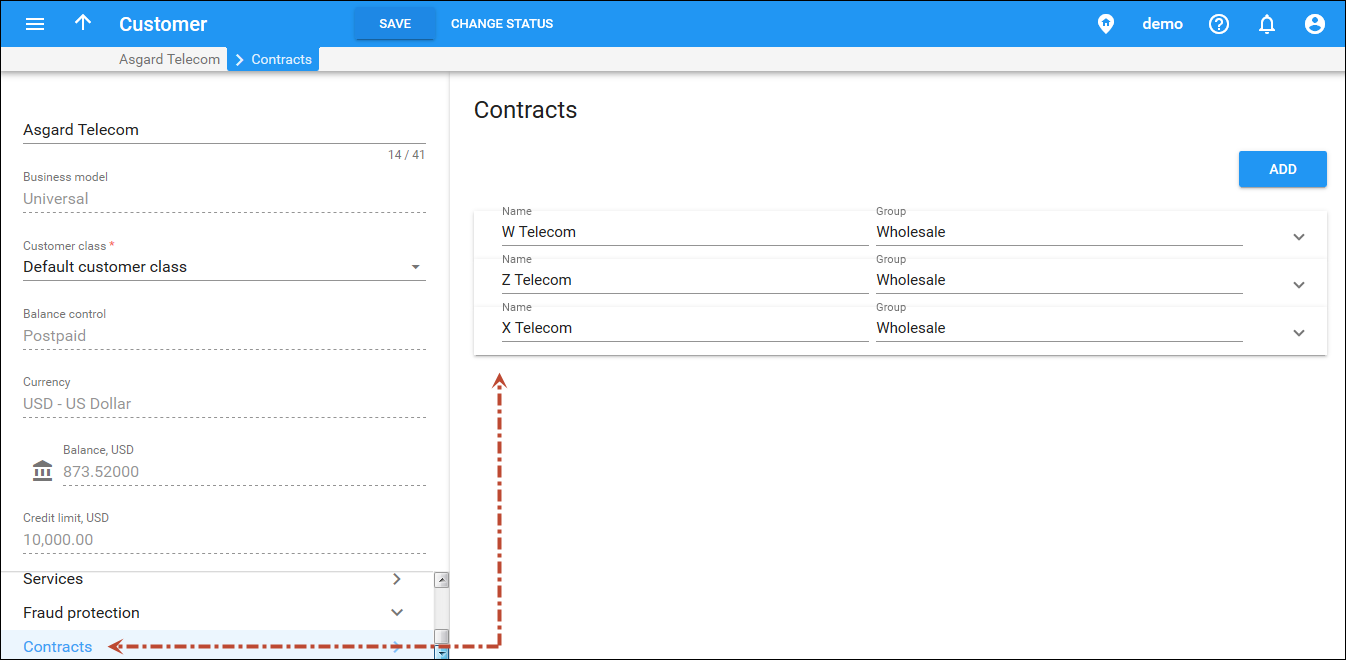
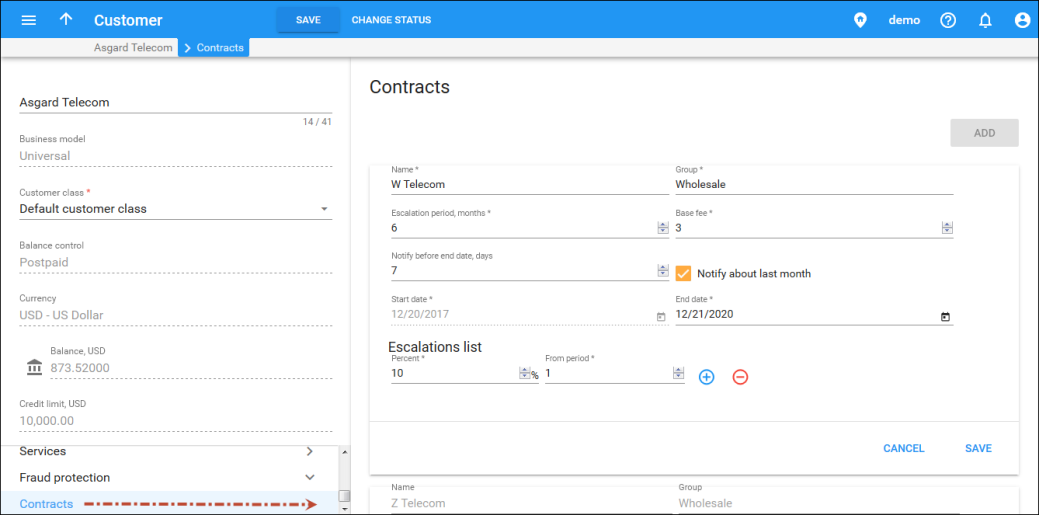
Asgard Telecom implements UI plug-in for the Contracts feature. After the plug-in installation, a new Contracts panel is available at the customer level. It allows managing customer contract details. When an administrator saves a contract, the plug-in pushes the data to the CMS via the API. Each time an administrator opens the Contracts panel, the data is retrieved from the CMS.
This solution allows you to integrate PortaBilling with the external systems and manage all of the data from a single place. Aside from improving workflow, it gives you additional flexibility with introducing individual business solutions using PortaBilling.


