



Representatives bring new customers to the service provider and receive a recurring commission for each of them. Representatives can be employees, independent contractors, or sales agents.
When a new customer is created in PortaBilling, a representative is assigned to that customer, linking each sale to the responsible representative for commission tracking.
Commission calculation for representatives
PortaBilling automatically calculates representatives' commissions based on a commission plan created by the administrator. The commission amount depends on:
- Service type – for example, subscriptions or voice calls.
- Commission type:
- One-time commission – a fixed amount paid when a new subscription is added to a customer.
- Percentage commission – a percentage of the customer's charges for a given service.
- Period – the number of months during which a specific percentage applies. For example, Mark Johnson receives 10% of customer charges/payments for the first 3 months, 7% for the next 3 months, and 5% for all subsequent months.
Two commission calculation modes define when PortaBilling makes a commission available to a representative.
- Invoiced amount. Commission is calculated based on the customer charges during their billing period. The commission amount is calculated and added to the representative's balance after the customer’s billing period ends. This mode supports flexible commission configurations, such as differentiating commission by service type or applying a one-time commission for subscriptions.
- Payments. Commission is calculated based on payments made by the customer during the billing period. The commission amount is calculated and added to the representative's balance after the customer’s billing period ends. This mode is recommended for prepaid customers. Commission amounts can only be differentiated by period, not by service type or commission type.
When a commission is calculated, the commission amount is added to the representative’s outstanding payout.

Administrators and representatives can generate commission reports showing the date, customer name, total charges/payments, and commission percentage.
Owl Telecom administrator sets up Mark Johnson as a sales representative and creates a commission plan for him.
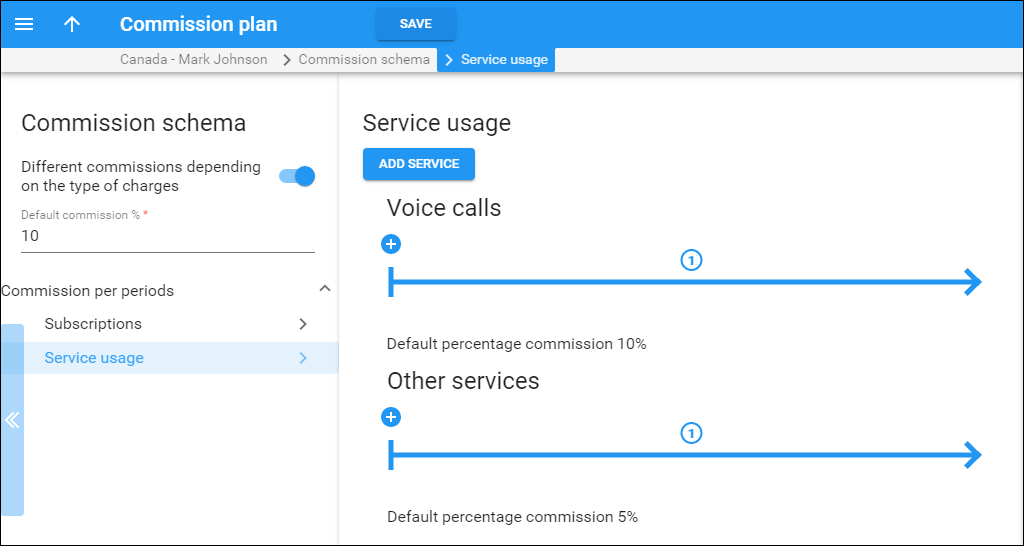
Mark's commission plan is configured as follows:
- a $15 one-time commission when the “Call recording” subscription is assigned
- 2% of the $10 monthly “Call recording” charge
- 10% of all voice call charges
- 5% of all other service charges
Mark signs up ABC Company as a new customer. ABC Company subscribes to the Call recording add-on at $10/month and plans to use voice call and messaging services.
At the end of the month, the administrator opens Mark's profile and sees that their total commission is $40.20:
- $15 one-time commission for the subscription
- $0.20 for the subscription charge (2% × $10)
- $15 for voice call charges (10% × $150)
- $10 for other service charges (5% × $200)
Override the representative’s commission plan
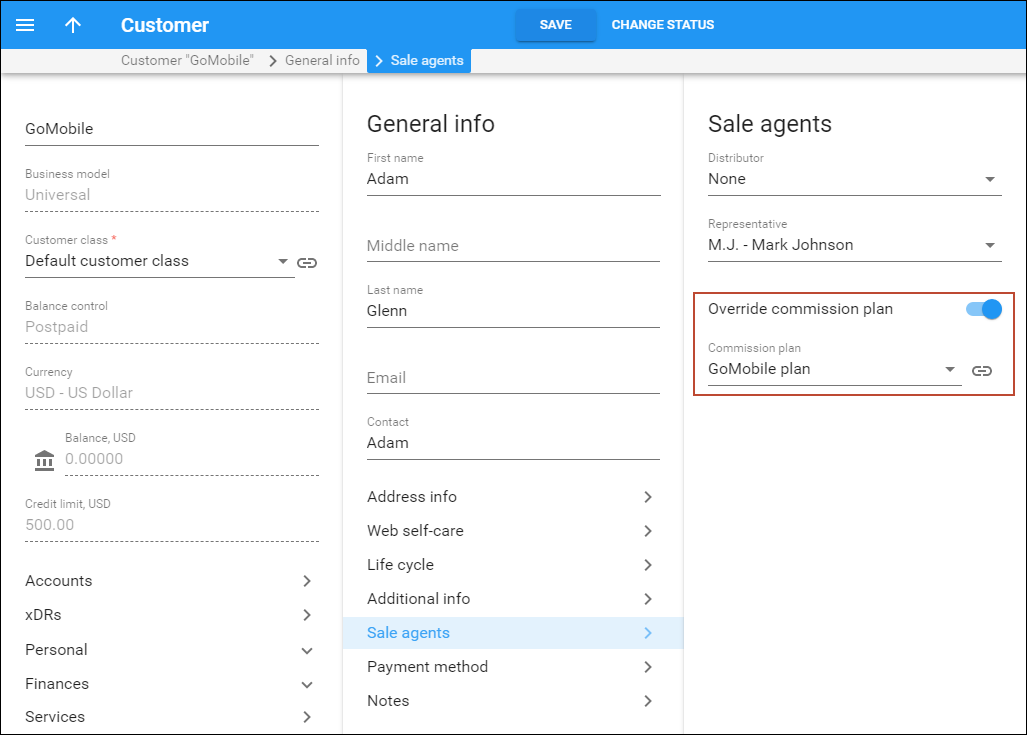
If a service provider and a representative agree on a different commission rate for a particular customer, the administrator can override the representative's commission plan for that single customer.
Mark Johnson receives a 5% commission according to their current commission plan, but a 10% commission is agreed upon for services consumed by ABC Company. The administrator creates an individual commission plan and assigns it to ABC Company.
Commission payment
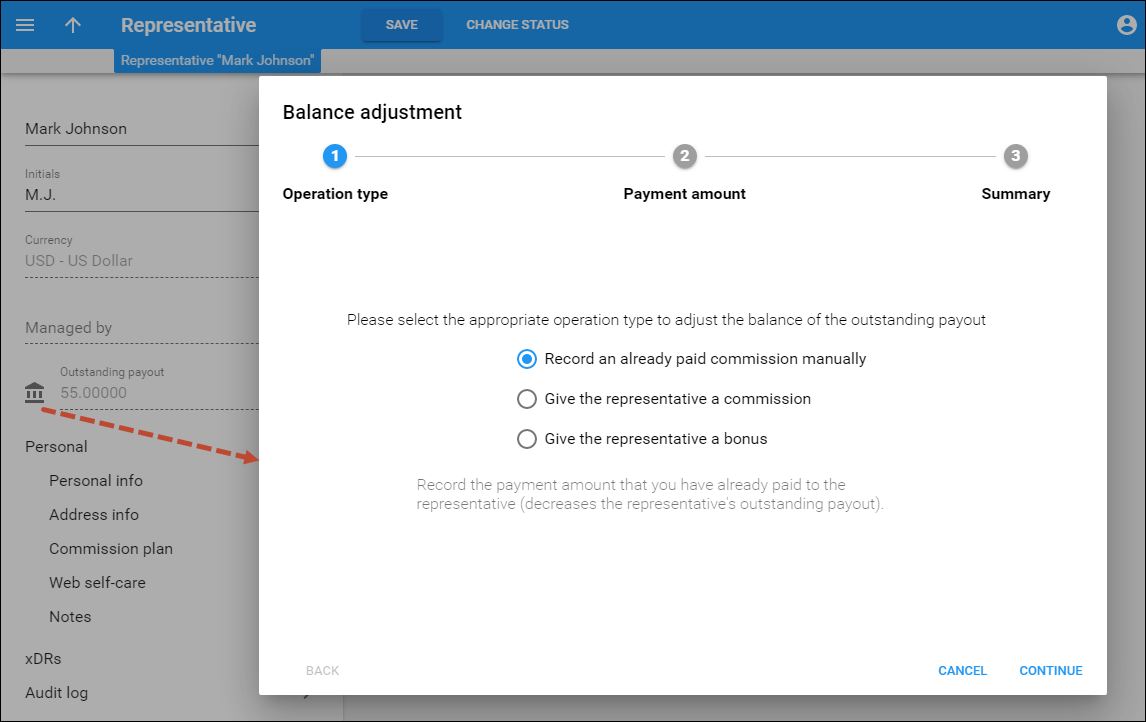
The total commission earned by a representative is shown in the Outstanding payout field. To adjust this amount, the administrator clicks Adjust balance and selects one of the following options:
- Record an already paid commission manually – records the amount already paid to the representative. Decreases the outstanding payout.
- Give the representative a commission – manually adds a commission for a specific customer and service, independent of the commission plan. This is useful when the service provider and the representative have agreed on a different commission rate for a particular case. Increases the outstanding payout.
- Give the representative a bonus – adds a bonus amount on top of the regular commission, e.g., as a performance reward. Increases the outstanding payout.
Currency conversion for the representative’s commission
Representatives and the customers they bring in may operate in different currencies. PortaBilling automatically converts the commission amount to the representative's currency. For example, Mark Johnson operates in EUR. They earn a $230 commission from a USD customer. PortaBilling converts the amount, and Mark receives €199.


