


Fixed VAT rate is a taxation system that is used worldwide. The Fixed VAT Rate allows you to add a certain percentage of value-added tax. For inclusive rates, the defined percentage of tax is back-calculated from the charged amount.
Applying fixed VAT rate using customer classes
Let’s consider the example of including a fixed tax into a customer class, which will then be applied to the customer:
- Go to the Templates page.
- Create a new invoice template.
- Click Save.
- Go to the Customer Classes page.
- Create a new customer class or modify an existing one.
- Select Finances and then click Invoicing.
- On the Invoicing panel, click Regular invoices and:
- Enable the Use regular invoices option;
- Select the created above template in the Invoice template drop-down menu.
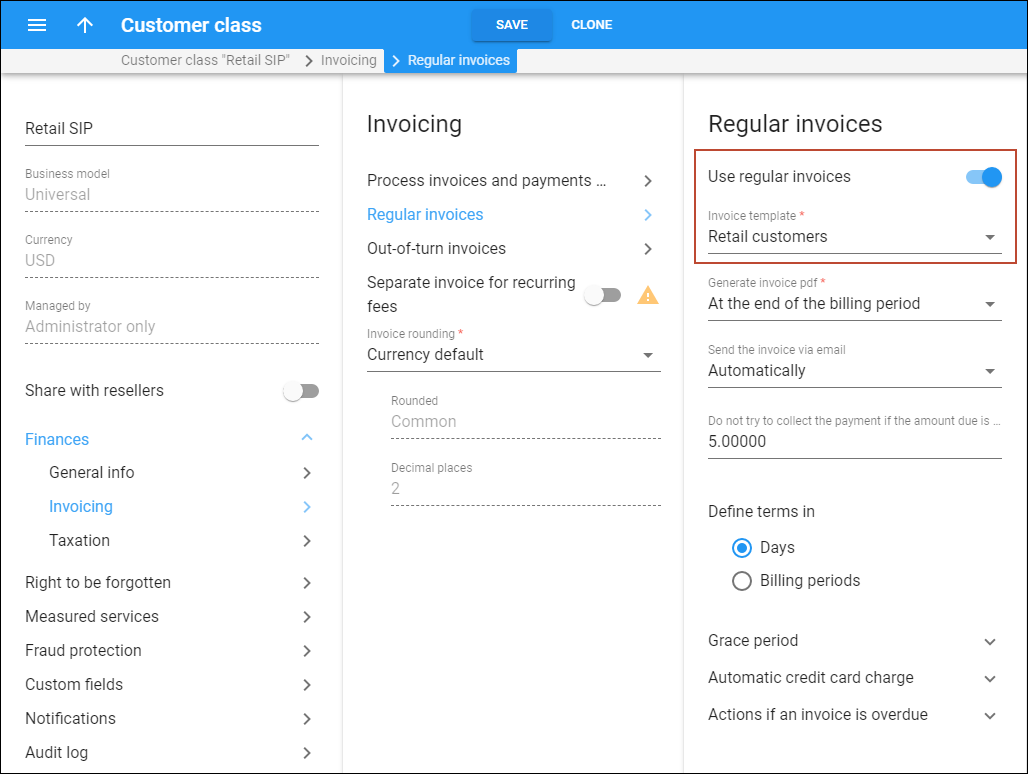
- Click Taxation from the Finances section on the customer class panel.
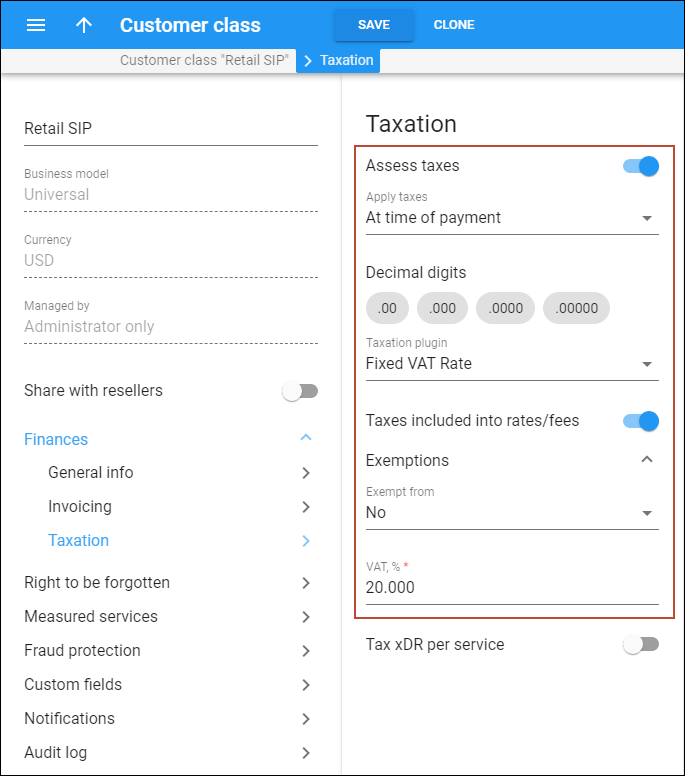
- Select when to apply taxes for customers, at time of payment (applicable to prepaid customers) or at the end of the billing period (applicable to postpaid customers).
- Select the Fixed VAT rate from the Taxation plug-in list.
- Specify whether rates are included into the rates or excluded from them.
- Select No in the Exempt from field.
- Specify the desired percentage in the VAT percentage field and click Save.
Applying fixed VAT rate without using customer classes
To apply a fixed tax directly to the customer, do the following:
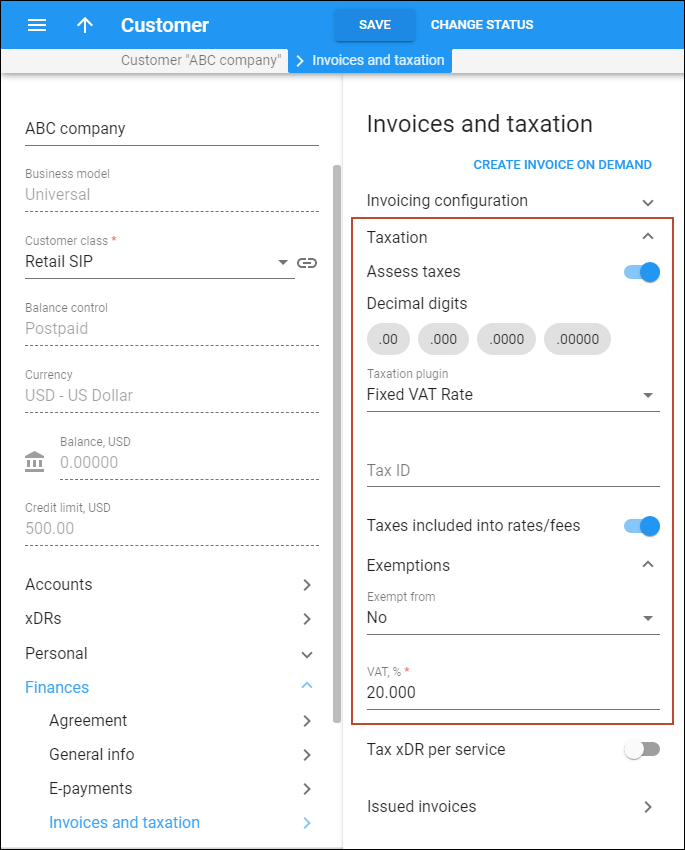
- On the Customer panel, select Finances and then go to the Invoices and Taxation panel.
- Click Invoicing configuration and select the above-created template in the Regular invoice template field.
- Click Taxation and select Fixed VAT Rate from the Taxation plug-in list.
- Choose No in the Exempt from field.
- Specify the required tax percentage.
Rounding
By default, the tax amount for fixed VAT Rate taxation plug-in rounds upward. PortaBilling rounds the tax amount to the pre-defined number of digits applicable to the customer class currency. For example, if the customer class currency is USD which rounding precision is 0.01 (2 decimals), then 1.204, 1.205, and 1.206 all round up to 1.21.

Also, you can change the default rounding method to apply mathematical rounding in the Stats.Tax_Rounding_Method option on the Configuration server. For example, if mathematical rounding is applied and the customer class currency is USD which rounding precision is 0.01 (2 decimals), then 1.204 rounds to 1.20, 1.205, and 1.206 round to 1.21.


 Back to main menu