



IP blocklisting is used to prevent access to your system from specific IP addresses. This functionality is available on the Configuration server web interface, where you can easily view and manage IP addresses.
If you block access from all IP addresses of a network, and you want to allow access for specific IPs from that network, e.g., the IPs required for your engineers, you can add these exceptions to the IP allowlist. The IP lists automatically apply to all PortaSwitch servers and are preserved after an update or server reinstallation.
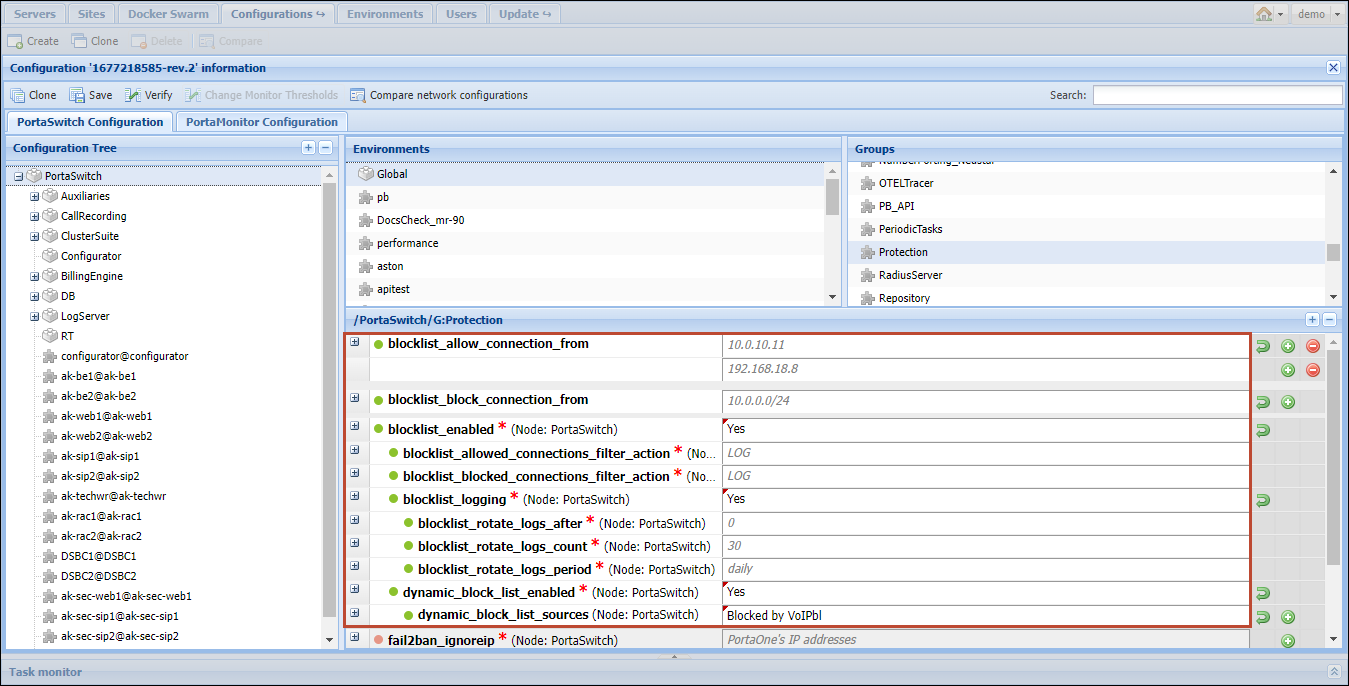
The IP addresses can be added to the IP lists one by one, or imported from an external source such as voipbl.org that gathers IP addresses from which hackers conduct malicious activities.
Benefits
- Engineers can save time and effort when managing the lists of blocked and allowed IP addresses (no need to define a set of rules via the command-line interface for a specific server).
- You can ensure a higher level of security for your system through the automated blocking of numerous IP addresses imported from public sources.
Peculiarities
Link copied to clipboard
- IP addresses can be added with a specific port and/or protocol, e.g., 7.7.7.7,udp:7777.
- The network addresses can also be added to the IP lists. You can optionally indicate a specific port and/or protocol (e.g, 8.8.8.0/16 or 10.0.0.0/24,udp:6000).
- These IP blocking/allowing rules take precedence over any other rule, such as SIP/DB/HTTP protections rules or any rules directly added to iptables.


