



Tracking events via the PortaBilling web UI
Admins can see the provisioning status of events (e.g., all, failed, queued, successful) and check event logs directly on the PortaBilling web interface. To configure this, refer to … Display provisioning event status for ESPF on the PortaBilling web interface.
If provisioning fails due to an external system misconfiguration, e.g., a missing policy in PCRF, admin can fix the system configuration and then restart the provisioning process with one click (go to Toolbox > Provisioning logs).
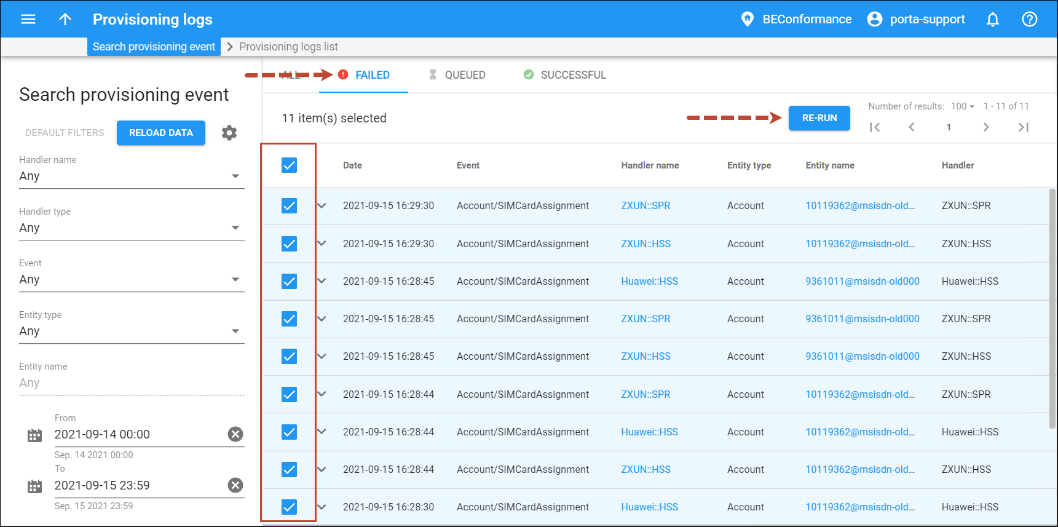
If an issue occurs during event provisioning, the corresponding error is written to the provisioning log file. In addition, admins can receive email notifications about provisioning event failures. For this, log in to the Configuration web server interface and specify an email address for the Provisioning.AlertRecipient option.
When a customer account is terminated in PortaBilling, the system must provision this change to the host MNO’s HSS. PortaBilling sends a request to remove the subscriber’s SIM card record from the HSS, including parameters such as MSISDN or IMSI.If the HSS returns an error (for example, 500 Internal Server Error), the provisioning step fails. PortaBilling logs the error, marks the provisioning status as Failed, and the account is not fully deleted in the system until the issue is resolved.
After the admin identifies that the failure was caused by temporary HSS unavailability, they can re-submit the provisioning request. Once the admin clicks Re-run, PortaBilling resends the deletion request and, if successful, deactivates and removes the SIM card in the HSS. The customer account is then fully deleted, and the provisioning status changes to Successful.


