



If you have customers that generate numerous transactions per second, like large call centers or IoT customers with tens of thousands of IoT SIM cards, you can configure the PortaBilling system to accumulate changes to each customer, reseller, or vendor balances over a specific interval, such as 5 seconds, before updating balances in the database. Alongside the balance update, PortaBilling also accumulates changes to customers' and resellers' bundle counters (minutes, SMS, data) and stores them in the database in a single transaction.
This approach consolidates balance updates and bundle usage into a single operation at the end of the interval, thereby reducing their frequency. Previously, the system would immediately update a customer’s, reseller’s, or vendor’s balance after each transaction, such as a call completion, and update a bundle counter after every event. This frequent updating could result in tens or even hundreds of balance or bundle counter update transactions per second for the same database record, leading to database locks and delays.
Service providers can avoid investing in more expensive hardware due to reduced database load.
Configuration
For the system to update balances in batches, open a specific customer, reseller, or vendor record, navigate to the General info panel, and enable the Batch balance updates for usage charges toggle. Note that for customers and resellers, this setting also enables batch updates for bundle counters.
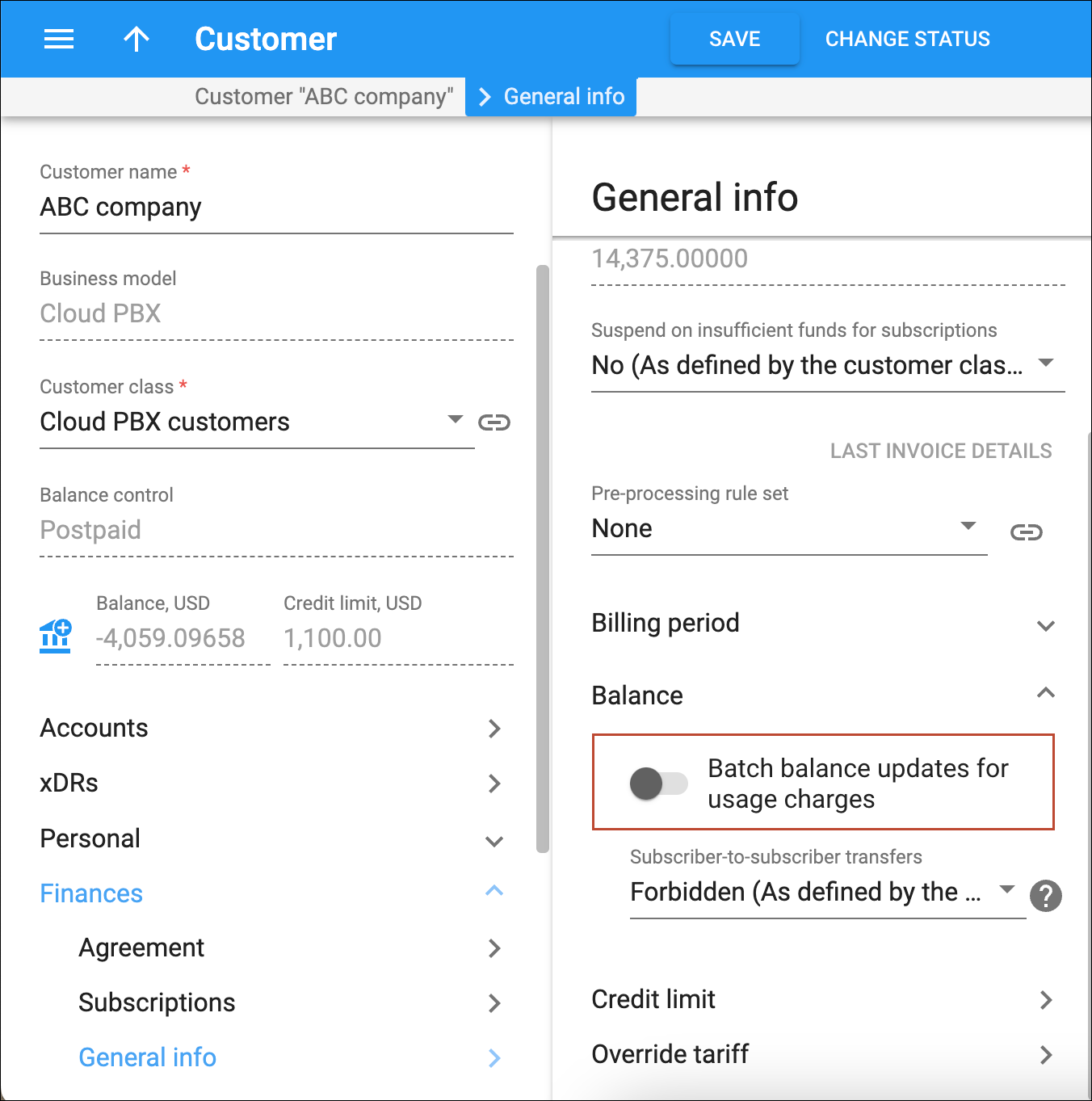
By default, when this feature is disabled, the system immediately updates a customer’s, reseller’s, or vendor’s balance after each transaction, such as a call completion.
By default, when this feature is enabled, the system accumulates a customer’s, reseller’s, or vendor’s balance changes, and a customer’s or reseller’s bundle counters after each transaction or event (e.g., a call completion). To change the default period (5 seconds), go to the Configuration web server interface, and specify the value for the Rating.PendingBalanceUpdateIntervalCustomer option for customers and resellers, and Rating.PendingBalanceUpdateIntervalVendor option for vendors.



