Different taxation systems have individual sets of tax transaction codes. You need to create internal tax transaction codes and map them to the tax transaction codes of the taxation systems you use. In PortaBilling, taxation for all transactions is defined using internal (unified) tax transaction codes. This allows simplifying taxation management for multiple taxation systems (e.g., if you switch from one taxation system to another). At the end of the billing period, when PortaBilling sends transaction xDRs to taxation systems, it adds the actual tax transaction codes of these taxation systems. Internal tax transaction codes are unique for administrators and resellers. See the Unified codes for tax calculation via external plug-ins chapter for more details.
On this panel, you can create internal tax transaction codes and select/add the corresponding tax transaction codes of taxation plug-ins configured in PortaBilling.
To add a new tax transaction code, click Add on the Tax transaction codes list panel and fill in the details. To save the tax transaction code details, click Save. To create more tax transaction codes, click Save & Add a copy.

Tax transaction code
Type in the internal tax transaction code (numbers only).
Code description
Type in a short description of the internal tax transaction code.
Plug-in code
You can select/specify the corresponding transaction codes of the taxation plug-ins that you enabled on the Taxation plug-ins panel. For Avalara, EZTax and GST taxation plug-ins, you can select a default code from a drop-down list or add a new code manually. For the SureTax plug-in, you need to add the plug-in codes manually.
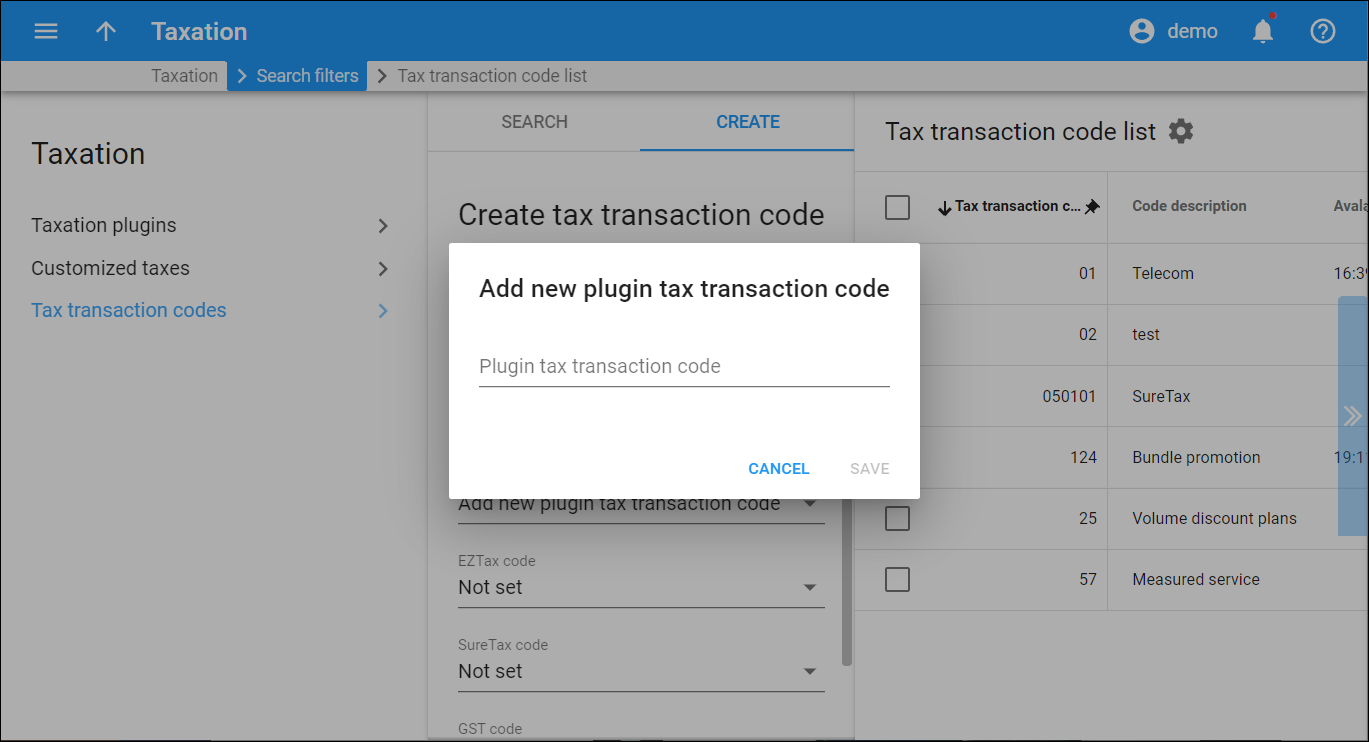
Add new plug-in tax transaction code
To add a new code for a specific plug-in, open the corresponding drop-down list and choose the Add new plug-in tax transaction code option. In the dialog window that opens, type the plug-in tax transaction code and click Save.