



Collect recurring fees for customer subscriptions sold via resellers
Increase your profitability by billing resellers based on the products they sell and not just on service usage. You can charge your resellers a set recurring fee for every customer they sign up for a product. For example, as a service provider, you create a product with a call recording feature, sell this product to a reseller for a $10 monthly fee, and recommend reselling it at $20. The reseller can then offer this product at the recommended price or a marked-up price. They can also sell a product at a lower price than what they pay you, e.g., to enter the market. Whatever your reseller charges their customers, you always receive your $10 per month even if customers do not use the service (e.g., the service is suspended).

The administrator creates a product/add-on product with:
- reseller subscription – contains a recurring fee that you charge the reseller for each customer account;
- account subscription – contains your recommended recurring fee that resellers can charge their customers for each account.
Note that the billing period of the customer and reseller may differ, and each of them is charged according to their billing period. Subscription charges do not synchronize.
Reseller subscriptions and account subscriptions are independent and may be configured differently. For example, a reseller subscription activates immediately after assigning the product to the account, while the account subscription becomes active upon the account’s first usage date.
The reseller can adjust a recurring fee for an individual account. The reseller can provide a discount or mark up account subscription. Change in price (or any other change) for an account subscription doesn’t influence the price of a reseller subscription.
Reseller ABC Shuttle negotiates with their service provider that they would buy the call recording product for a $10 monthly fee per account. ABC Shuttle intends to sell the call recording product to their accounts at the price of $20. The service provider creates a product where it defines reseller charges ($10 per account) and account charges ($20). On May 1st, 50 accounts sign up for the call recording product at $20. This means that 50 subscriptions for $10 become active for ABC Shuttle. When the reseller’s billing period closes, PortaBilling calculates the charges for all accounts’ subscriptions: $10 monthly price x 50 customers = $500. On July 1st, ABC Shuttle receives an invoice for $500 total for May.
ABC Shuttle negotiates with a new customer, John Doe, and John signs up for a product for a $25 monthly fee (instead of recommended $20). To mark the price up for a specific customer, the reseller’s administrator performs the following steps:
- creates the account for John Doe and assigns the product with the call recording feature;
- opens Finances > Subscriptions > clicks Edit
 for a specific subscription:
- in the Periodic fee adjustment field, selects Upcharge
- in the Amount in field, selects the currency
- in the Upcharge field, specifies ‘’5’’
- for the Duration specified in option, selects Dates
- in the Start date field, specifies the start day when the upcharge should apply, with no fixed end date for now (it can be changed at any time).
The periodic fee for John Doe becomes $25.

The administrator can see all the active subscriptions the reseller is charged for on the PortaBilling web interface.

By default, the reseller’s recurring fees stop for a specific customer under the following conditions:
- The account has become closed.
- The reseller replaces the account’s product with one that doesn’t include the reseller subscription.
- The reseller subscription is removed from the product.
Configuration
To charge resellers recurring fees for a product with call recording, the administrator performs the following steps:
- Creates a reseller subscription:
- Defines a $10 recurring fee;
- Selects Admin for Managed by option;
- Leaves At the given start date for Activation mode so that a reseller subscription activates immediately after adding it to the account;
- Selects the Can be applied more than once checkbox.
- Creates an account subscription:
- Defines a $20 recurring fee;
- Selects Admin for Managed by option;
- Turns on the Share with resellers toggle (mandatory for subscriptions managed by administrator).
- Creates add-on product (or main product):
- Selects Admin for Managed by option;
- Turns on the Share with resellers toggle;
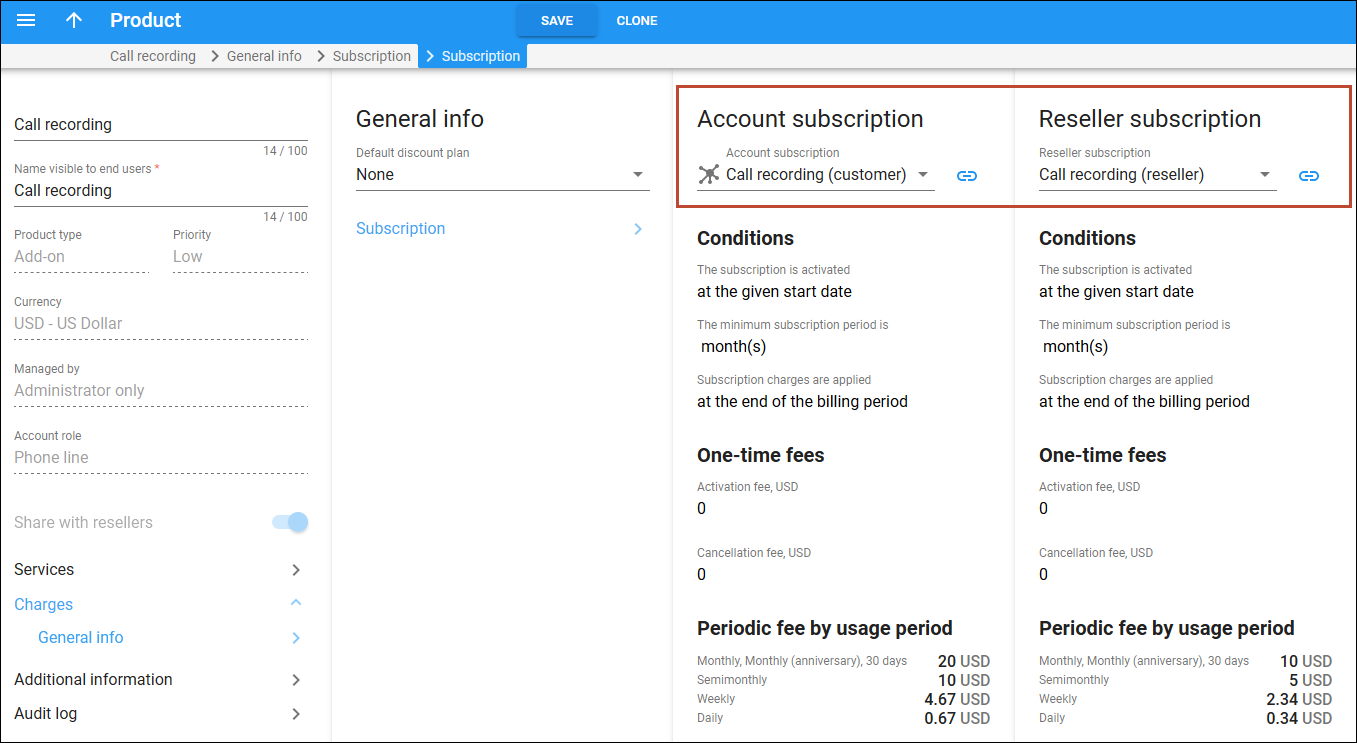
- Charges > General info > Subscription > selects an Account subscription and Reseller subscription ;
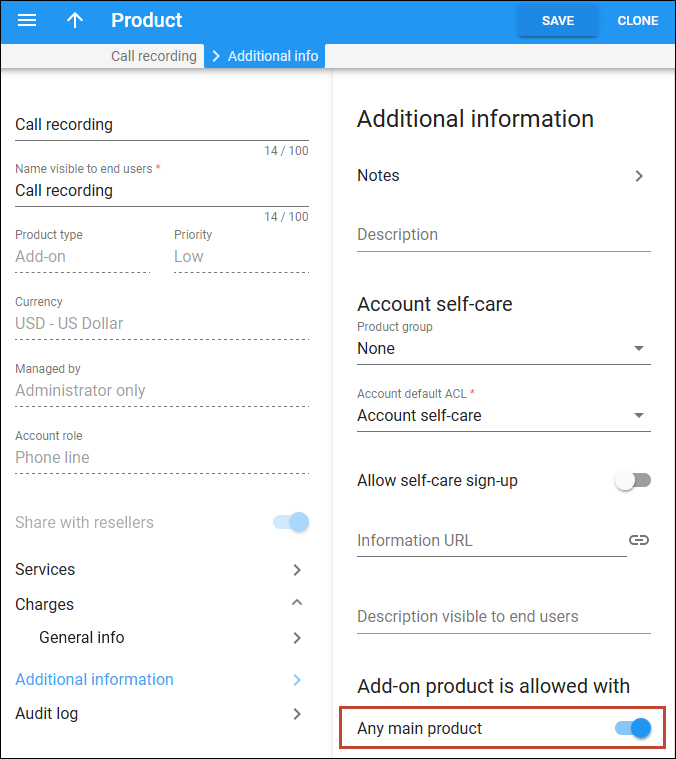
- Additional information > Add-on product is allowed with > turns on the Any main product toggle;
- On the Voice calls configuration panel, turns on the Call recording feature.
Now the reseller can assign this product to accounts. Note that subscription charges apply to a reseller only if they assign this very product to the account. The scenario above can be configured the other way – when the main/add-on product, account subscription, and reseller subscription are managed by a specific reseller. In this case the reseller can edit the main/add-on product and account subscription (reseller subscription is read-only). But the other resellers have no access to this very product.
Service providers can increase their profitability by selling services via resellers.
If the main product/add-on product is managed by administrator, the reseller can’t replace the account subscription.
Billing resellers for subscribers’ bundle overages
You can ensure that you are not on the hook for costs when a reseller’s customers go over their bundle limits – this is especially useful when dealing with bundles each having a certain volume of minutes or data. When a reseller sells such a product with service volume and the customer uses services within this volume, that customer is not charged extra – and nor is the reseller. As soon as the service volume is used up, the reseller starts charging the customer for those service overages – and you start charging the reseller as well.
As a service provider, you design a “EuropeCall” product with 100 minutes for calls to Europe and your reseller offers this product to their customers. After the reseller’s customers consume their 100 minutes, they can continue calling Europe for $0.12/min. And you start charging the reseller $0.05/min according to the reseller’s tariff. On May 1st, Mary Smith signs up for the “EuropeCall” product, and on May 20th, she has already used up all the 100 minutes. Neither Mary nor the reseller have been charged yet. On May 30, Mary makes a 20-minute call to Europe and she is charged $2.4 for it (20 min x $0.12/min). The reseller is also charged $1 for this call according to their tariff (20 min x $0.05/min).
Service providers can receive revenue that is proportional to the revenue of the reseller.
Configuration
To configure a package that includes a quota that affects charging the reseller, the administrator must perform the following steps:
-
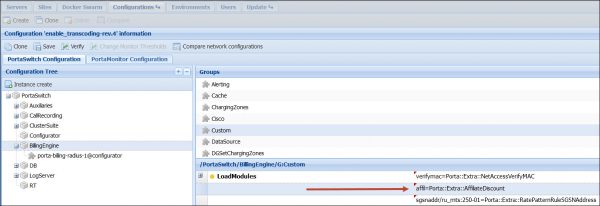
Set the LoadModules option on the Configuration server.
Go to BillingEngine > Custom > LoadModules > specify affil=Porta::Extra::AffiliateDiscount.
-
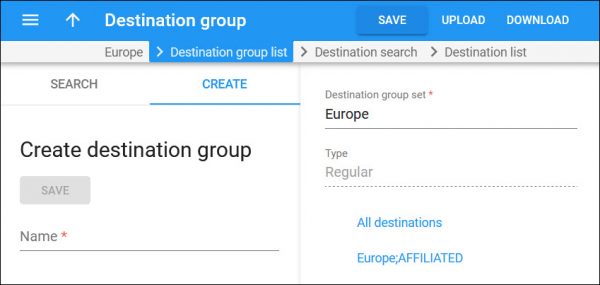
Create a code group.
Note that the name must contain the ;AFFILIATED suffix, e.g., “Europe;AFFILIATED”.
Go to Service catalog > Rates codes > Code group sets > create the Europe;AFFILIATED code group and assign the European prefixes to it.
-
Add a bundle item with a specific service volume and the Europe;AFFILIATED code group.
- Go to Service catalog > Bundles > add a new bundle of the Renewable by calendar type.
- Open Bundle items, click Add, and fill in the bundle item details.
- Volume measured – select Service used, minute.
- Code group – select Europe;AFFILIATED.

-
Create the “EuropeCall” package according to the configuration above. The package must contain the reseller and account subscriptions.
-
Assign the bundle to the “EuropeCall” product.
Open Product > Charges > General info > Default bundle > select the previously created bundle.

- The code group name must contain the ;AFFILIATED suffix, e.g., “Europe;AFFILIATED”.
- The bundle item must be based on the volume of service used, e.g., minutes or GB.
- Make sure that no bundle is assigned directly to a reseller if a bundle with an affiliated code group is used for the reseller’s customers. Otherwise, credits would be issued to a reseller.
- Charging resellers for subscribers’ quota overage works with a multi-level network of resellers.
- Resellers must have sufficient funds/credit limit to authorize the calls of their customers. The bundle applies only when the call is ended.


