Skip to the content
Release
mr131
mr130
mr129
mr128
mr127
mr126
mr125
mr124
mr123
mr122
mr121
mr120
mr119
mr118
mr117
mr116
mr115
mr114
mr113
mr112
mr111
mr110
mr109
mr108
mr107
mr106
mr105
mr104
mr103
mr102
mr101
mr100
mr99
mr98
mr97
mr96
mr95
mr90
mr85
mr80
mr75
mr70
mr65
mr60
mr55
mr98
mr131
(latest)
mr130
mr129
mr128
mr127
mr126
mr125
mr124
mr123
mr122
mr121
mr120
mr119
mr118
mr117
mr116
mr115
mr114
mr113
mr112
mr111
mr110
mr109
mr108
mr107
mr106
mr105
mr104
mr103
mr102
mr101
mr100
mr99
mr98
mr97
mr96
mr95
mr90
mr85
mr80
mr75
mr70
mr65
mr60
mr55
mr131
(latest)
mr130
mr129
mr128
mr127
mr126
mr125
mr124
mr123
mr122
mr121
mr120
mr119
mr118
mr117
mr116
mr115
mr114
mr113
mr112
mr111
mr110
mr109
mr108
mr107
mr106
mr105
mr104
mr103
mr102
mr101
mr100
mr99
mr98
mr97
mr96
mr95
mr90
mr85
mr80
mr75
mr70
mr65
mr60
mr55
Search
Search
Search
Documentation
portaone.com
Documentation
portaone.com
New features
Table of contents
Group paging
Call parking with automatic retrieval
Manage combined quotas for IoT/M2M SIM cards
SureTax plug-in tax calculation based on user location
Control what custom portal functionality is visible according to user permissions
Automatically log in to custom self-care portals with a single click
Admin manuals
PortaBilling Administrator Guide
PortaSIP Administrator Guide
PortaSIP Media Application Guide
PortaBilling Templates Guide
PortaSwitch Architecture and Concepts
PortaSwitch Installation Guide
PortaSwitch Configuration Server Web Reference Guide
PortaSwitch Interoperability Guide
PortaSwitch Customer Care Staff Interface
PortaBilling with Oracle Real Application Cluster Concepts
Handbooks
Initial Configuration
Advanced Configuration
Emergency Services
Callback Services
Cloud PBX and SIP Trunking Services
DID Provisioning
External System Provisioning
General Configuration Tools
Internet, WiFi, IPTV Provisioning
Invoicing and Payments
LTE Provisioning
Management and Monitoring
Messaging Services
MVNO
Online Signup
Prepaid Services
Resellers
Residential VoIP Services
Routing Configuration
Troubleshooting
Unified Communications
Wholesale Services
xDR import
API documentation
API reference
External System Interfaces Guide
Provisioning Application Reference Guide
UI help
Admin interface
Customer self-care interface
Account self-care interface
Reseller self-care interface
Distributor self-care interface
Vendor self-care interface
Representative self-care interface
Customer care staff interface
PortaSwitch Installation Guide
Introduction
Introduction
Hardware and software requirements
Network configuration
Network configuration
Installation process
Step 01: Power-up, boot order setup
Step 02: Insert the installation medium into the computer
Step 03: Starting installation
Step 04: Installation summary page
Step 05: Installation source
Step 06: Software selection
Step 07: Installation destination
Step 08: Network & host name
Step 09: Begin installation
Step 10: Root password
Step 11: Change installation medium
Step 12: Reboot
Step 13: Hardware check
Step 14: Check if system can reboot to normal state
Step 15: Prepare the system for transportation (optional)
Step 16: Perform initial configuration of PortaSwitch (when all servers have been installed)
How to...
… Install PortaSwitch using USB DVD ROM?
… Create a bootable USB flash drive from a PortaSwitch ISO file?
… Perform basic troubleshooting?
… Activate the configuration server?
Frequently Asked Questions
What is the recommended setup for the PortaSwitch behind a firewall?
PortaSwitch Installation Guide
Installation process
Step 06: Software selection
Step 06: Software selection
Link copied to clipboard
February 18, 2022
1 minute to read
This page for the latest version (MR131)
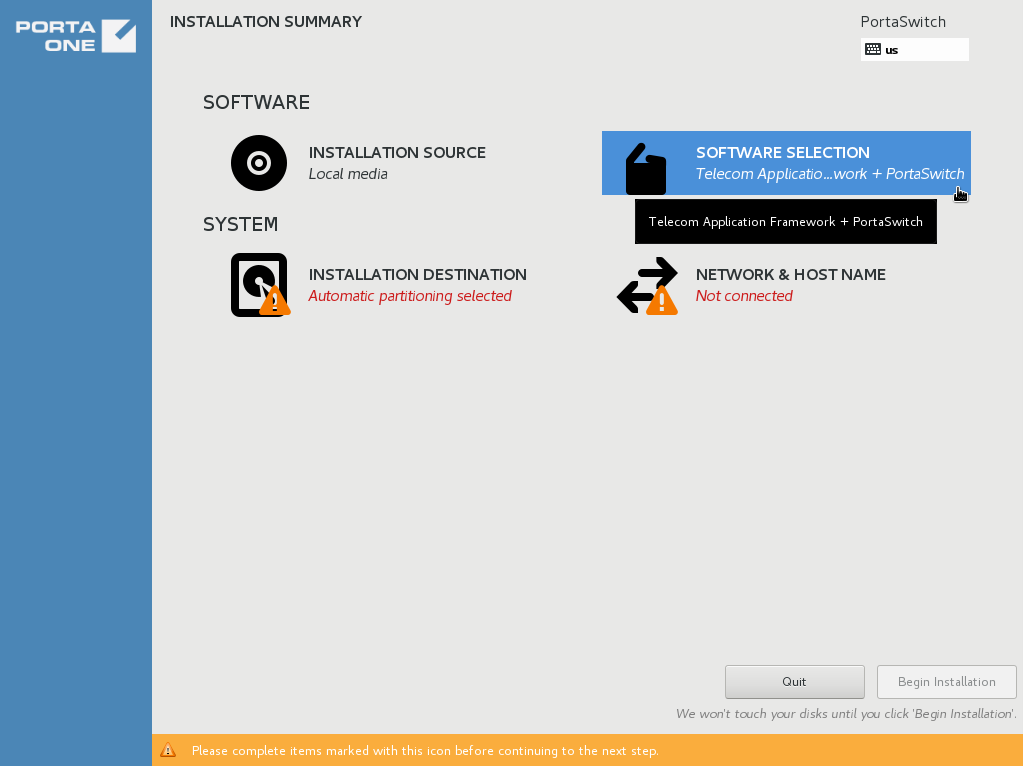
On the
Installation summary
page, choose
Software selection
.
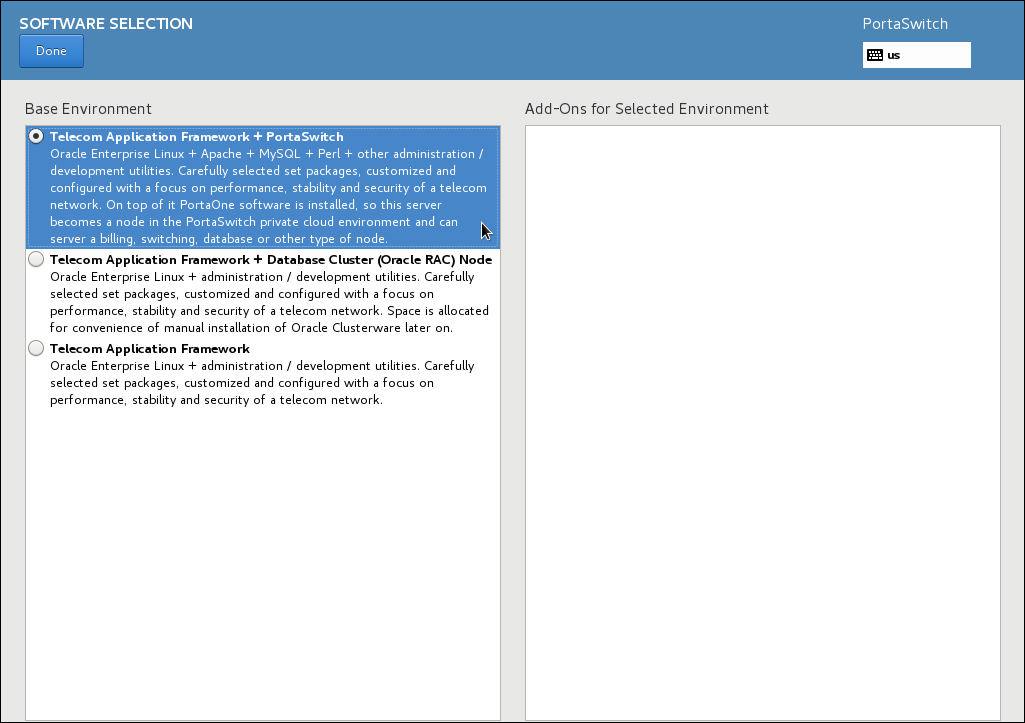
In the
Base Environment
section, choose
Telecom Application Framework + PortaSwitch
.
Click
Done
.
See Also
How to perform basic troubleshooting?
top
On this page
Search Documentation
Search
Enter a search string that is at least
1 symbol long
Docs for
Any
Any
mr131 (latest)
mr130
mr129
mr128
mr127
mr126
mr125
mr124
mr123
mr122
mr121
mr120
mr119
mr118
mr117
mr116
mr115
mr114
mr113
mr112
mr111
mr110
mr109
mr108
mr107
mr106
mr105
mr104
mr103
mr102
mr101
mr100
mr99
mr98
mr97
mr96
What's new
Admin manuals
Handbooks
UI help
Developers documentation
Search
Search
Menu
Main page
The Connector
PortaOne Blog
PortaOne.com
This website uses cookies. By continuing to use our website, you are agreeing to our
cookie policy
.
Accept and close
Decline