



Here you can specify the exact parameters for the Routing info - LCR blending report.
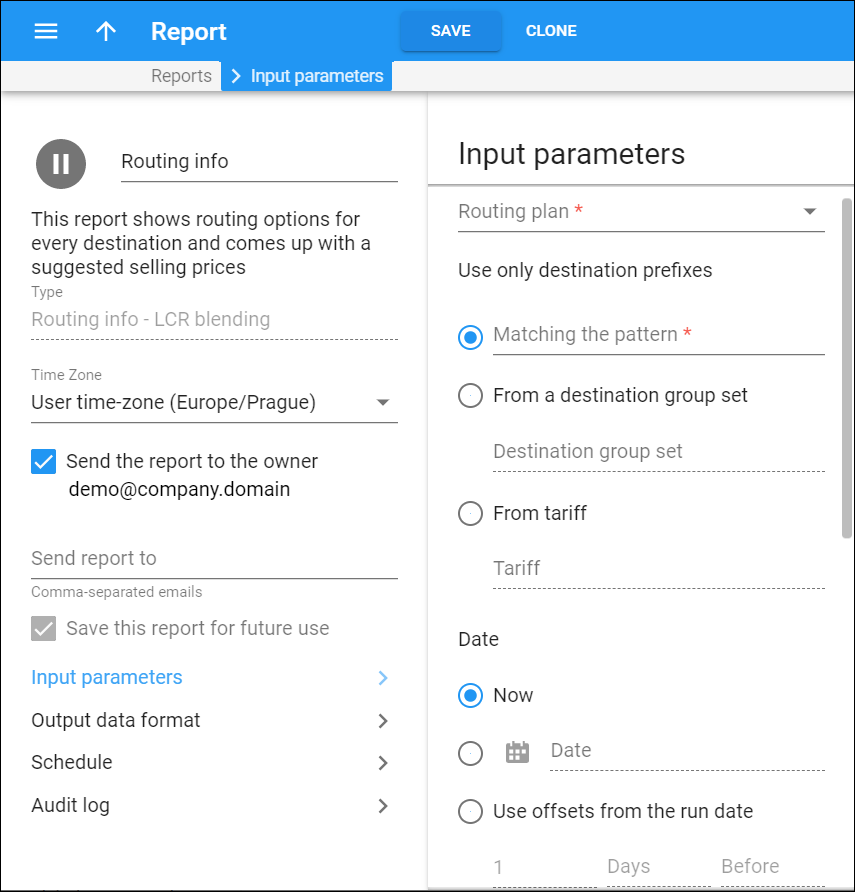
Routing plan
Select a routing plan to be used in this report.
Use only destination prefixes
Here you can filter the destinations to be used in the report by:
-
Matching the pattern – this produces a routing list for a specific rate code pattern only, e.g., 49%. To produce a list of all available destinations, use %.
-
From a code group set – this produces a routing list for rate codes available only in the specified code group set (you select it from the dropdown list).
-
From tariff – the report will only include rate codes present in the specified tariff. You choose the tariff from the dropdown list.
Date
In the Date section you can specify date and time values to calculate routing:
-
Select the Now option to analyze data relevant at the time you generate the report.
-
In the Date field you can type in a specific value or click Calendar
 and select it from the calendar.
 -
Select the Use offsets from the run date option to specify a moment in time when an offset from the scheduled report is generated.
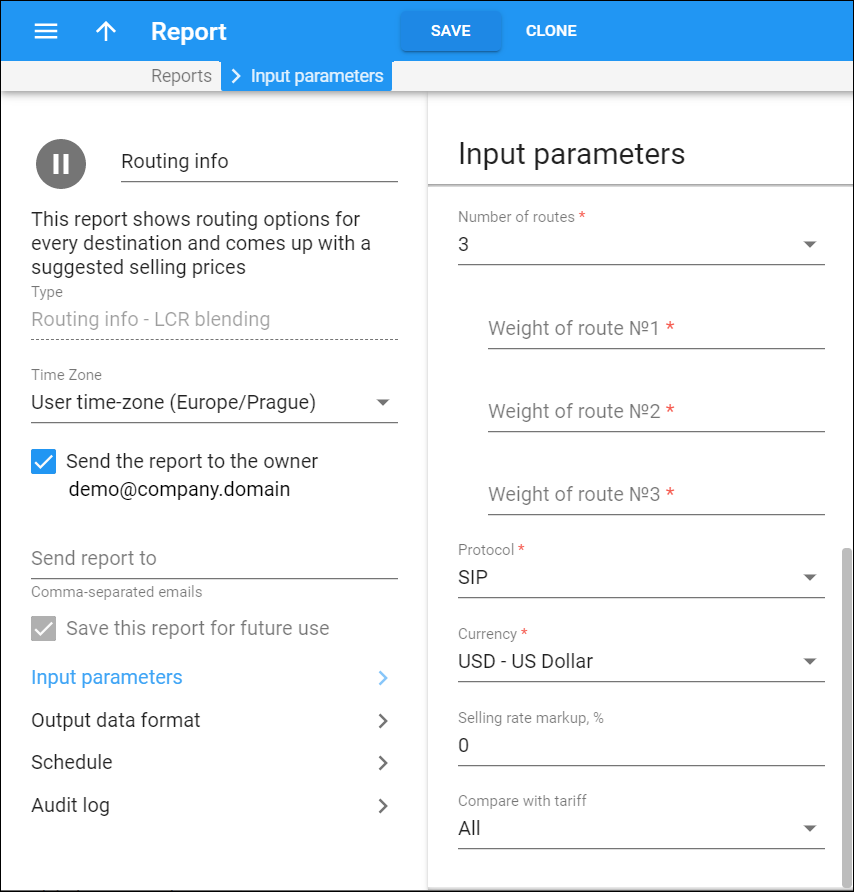
Number of routes
Select the number of routes for each rate code to be included in the report results.
Weight of route №1
Here you can specify how often this route is used, e.g., the first route has a weight of 80 and the second, 20, which means that on average, for every 100 calls, 80 will go via the first route and 20 will go via the second (or 80/20% split) one.
Protocol
Select a protocol from the dropdown list.
Currency
Select a currency to be used in this report.
Selling rate markup, %
This is a percentage to be added as your profit to the average vendor rate price.
Compare with tariff
Select a tariff to compare the list produced and its price.


