



Here you can configure the exact parameters for the Cost/revenue statistics advanced report.
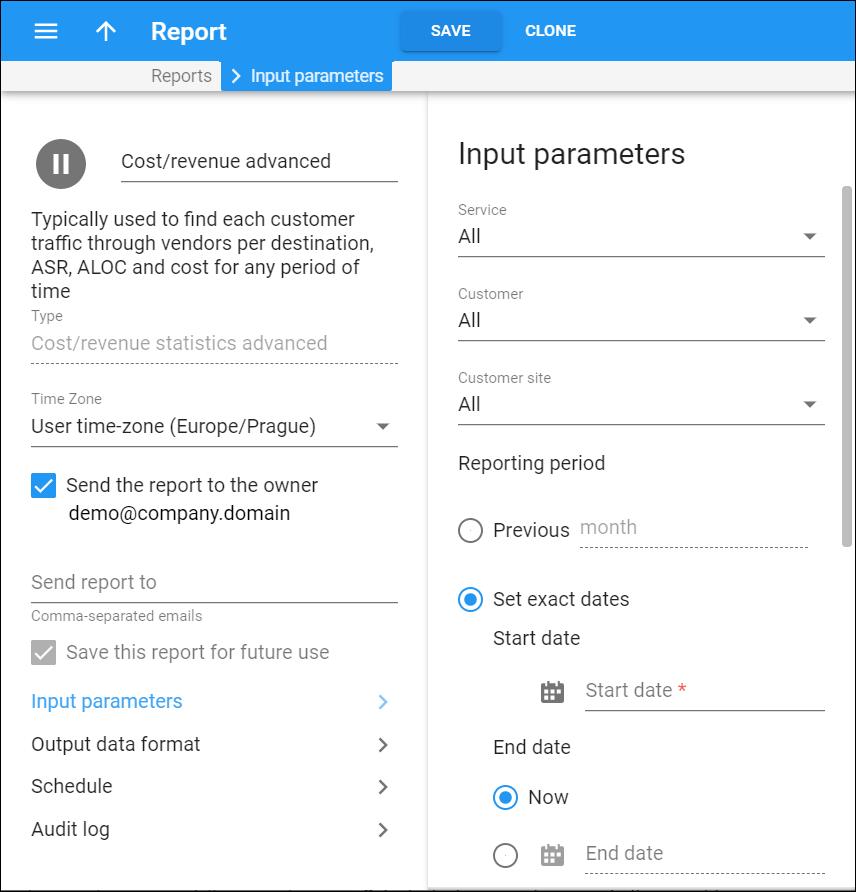
Service
Select which service to generate the report for.
Customer
Select a specific customer to calculate cost/revenue statistics for.
Customer site
Select a specific customer site to calculate cost/revenue statistics for.
Reporting period
In the Reporting period section you can analyze the data for a particular period.
-
Select the Set exact dates option to specify a Start date and an End date for the report calculation period. These values will always stay the same for any report generation. For example, you can set "2018-10-10 05:08:46" as the Start date and "Now" as the End date. This means the report will cover the period from "2018-10-10 05:08:46" to the moment the report is generated.
-
Select the Use offsets from the run date option to specify a moment in time when an offset from the scheduled report is generated. For example, you can set a Start date for 5 hours before and an End date for 2 days after the report is generated.
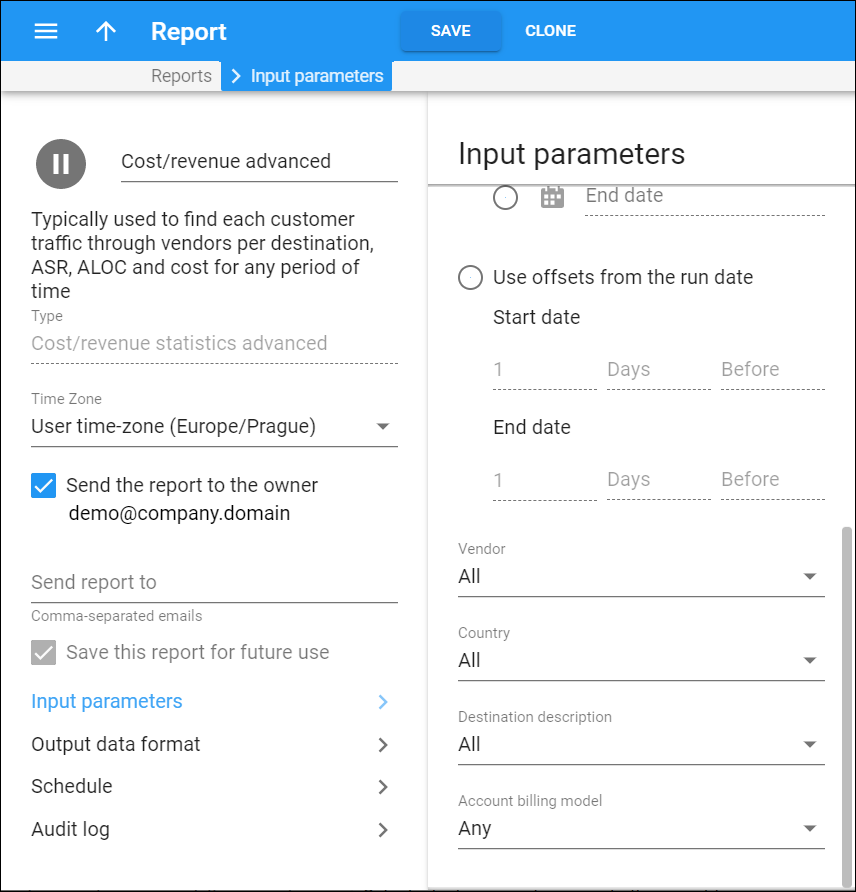
Vendor
Select which vendor you want to calculate cost/revenue statistics for.
Country
Select a specific country you want to calculate cost/revenue statistic for calls made to.
Destination description
Select a category of destinations you want to calculate cost/revenue statistic for calls made to.
Account billing model
Filter accounts by their billing model.


