

PBX customers can create extensions (accounts) and assign products with subscriptions on the self-care portal without your assistance. To control the products available for a PBX customer, an administrator creates a customer agreement.
The agreement allows limiting the list of main and add-on products that a specific PBX customer can assign to their extensions. So, when the PBX administrator opens the self-care portal to add an extension, they can see and assign only products allowed within the agreement. For more information about agreements, refer to Enabling product self-activation by a customer.
On this panel, you can manage the list of allowed products and set the number of accounts that can use a specific product.
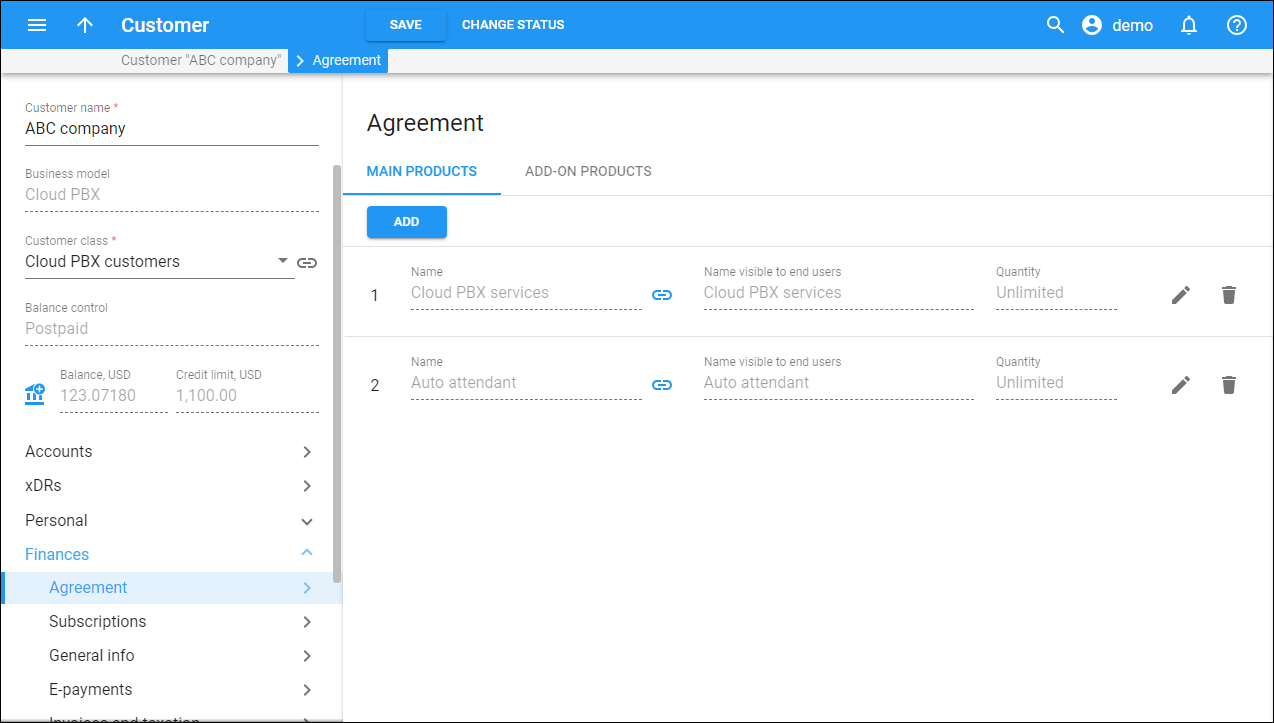
To change the product in the agreement, click Edit  .
To remove a product from the agreement, click Delete
.
To remove a product from the agreement, click Delete  .
.
Name
The product name. Click Show  to open the product details.
Name visible to end users
A product name that is visible to end users.
Quantity
The number of accounts that can use a specific product. Under the field, you can see how many accounts that have already assigned this product.
How to add a main/add-on product to the agreement
To add a Main product or an Add-on product to the agreement, click on the corresponding tab and click Add.
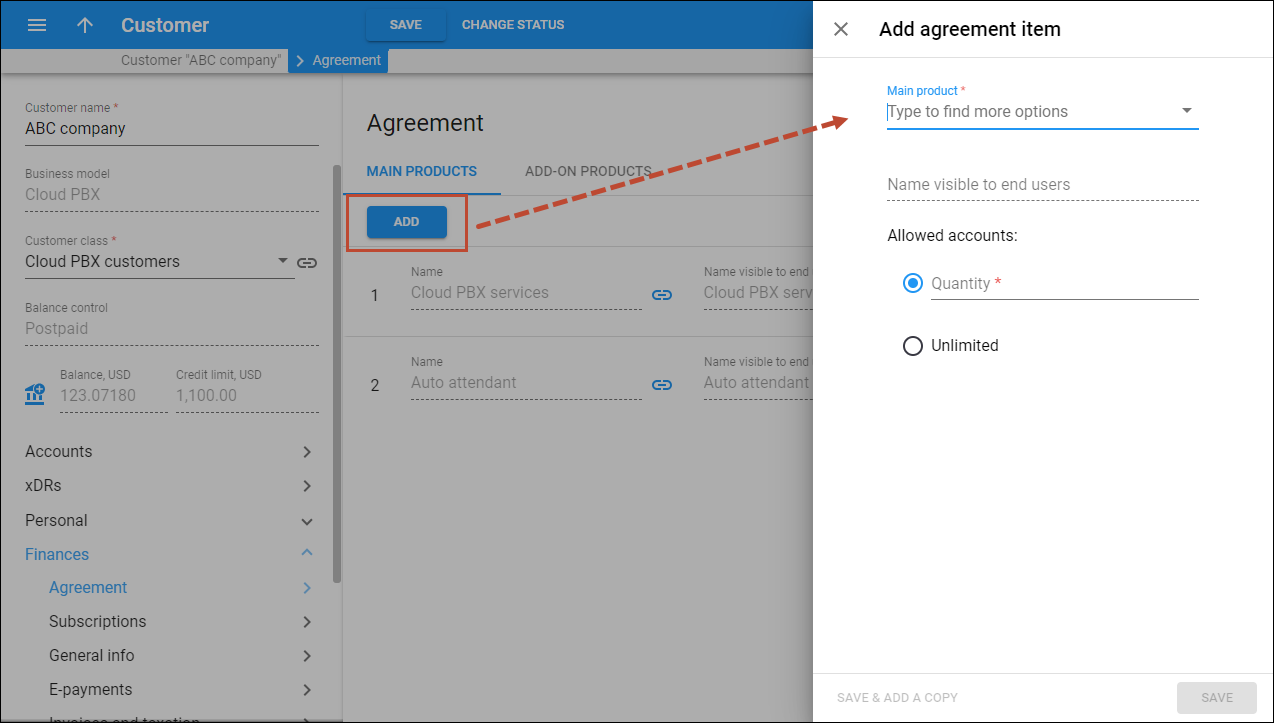
Main/Add-on product
Select a product from the list.
Name visible to end users
Shows the product name visible to end users.
Allowed accounts
- To limit the number of accounts that can use a specific product, specify the value in the Quantity field.
- To allow assigning the product to an unlimited number of accounts, select Unlimited.


