


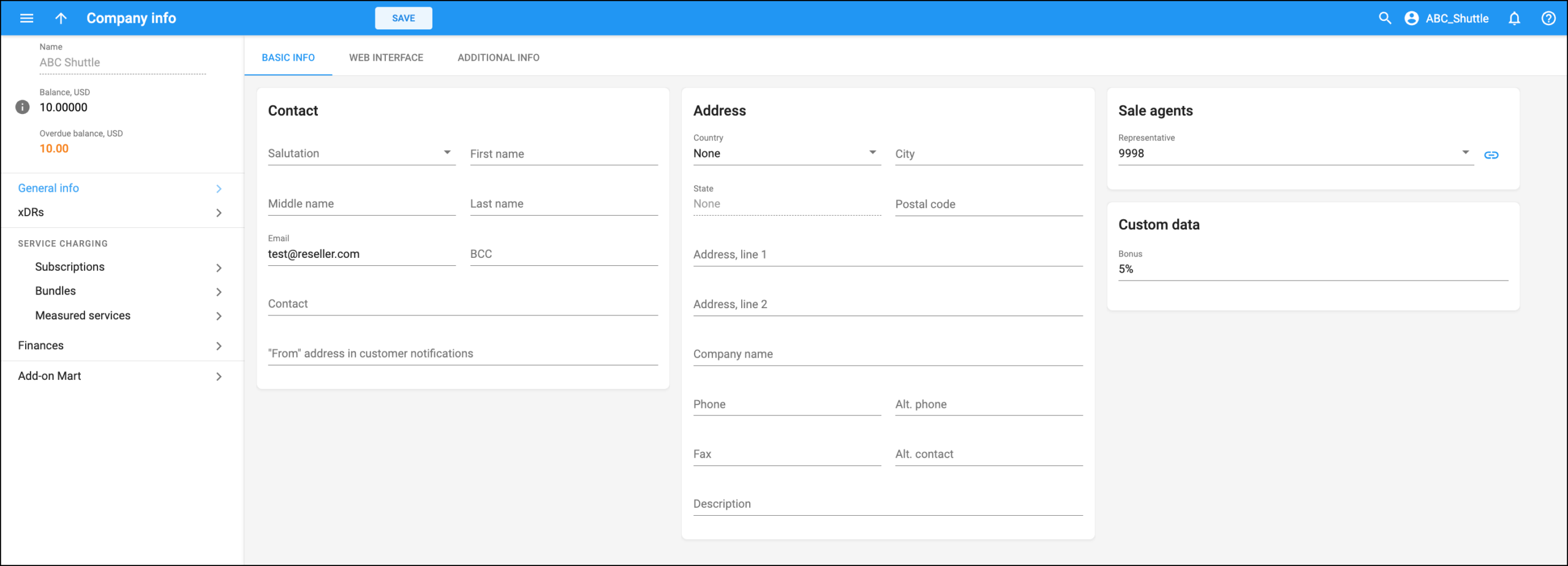
On this tab, you can specify basic customer information, such as contact person and address, assign sales agents, and fill in custom fields, if any.
Contact
In this section, you can specify the customer’s contact details, including salutation, first, middle, and last name, email address, and BCC email address.
Specify an email address to receive invoices and notifications about service and billing-related events like a balance reaching the credit limit, password changes, etc.
BCC
BCC, or 'blind carbon copy,' allows you to specify an email address for receiving copies of all emails without the main email recipient's knowledge. To add several emails, separate them with commas.
‘From’ address in customer notifications
Specify an email address that your customers will see in the From field when receiving email notifications.
Address
In this section, you can specify the customer address: street address, city, country, postal code, phone number, etc.
Alt. contact
This is an additional contact person within your company.
Alt. phone
This is the phone number where the SMS notifications from the service provider will be sent.
Sale agents
Representative
Choose a representative for this customer. Representatives work on behalf of the company, selling services for a commission. Once you assign a representative, they begin receiving commissions according to their defined commission plan.
Click
Show  to open the representative page.
Custom fields
Here, you store additional information (for example, the bonus).


 Back to main menu