


On this panel, you can find a specific subscription assigned to the company directly or via a product.
Specify one or more search criteria listed below and click Search. If you want to stop the search, press “Esc” on the keyboard or click Stop  on the search panel.
To reset the search criteria, click Default filters  .
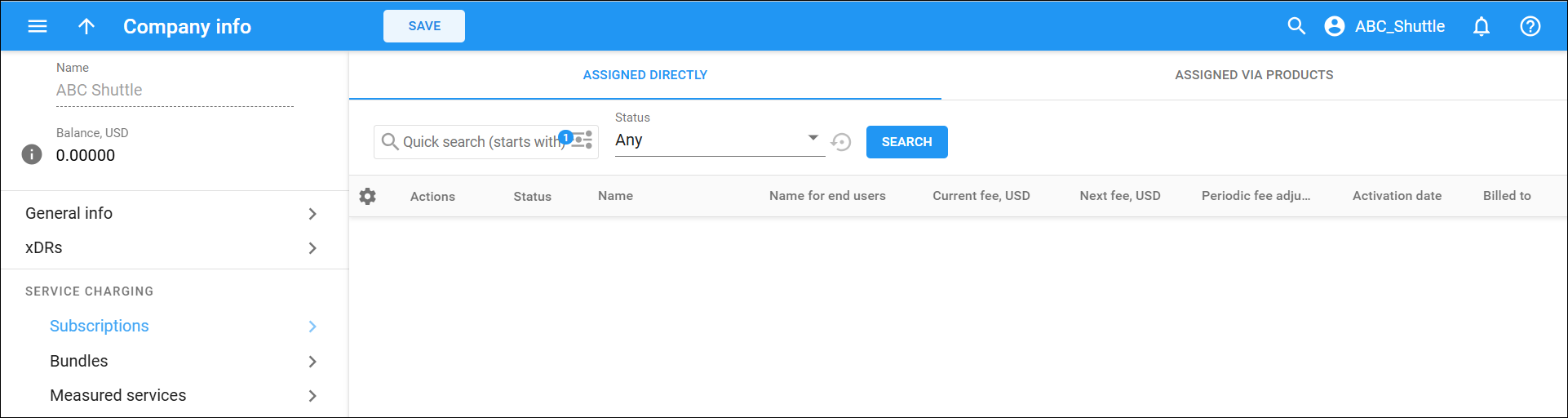
Quick search
Filter subscriptions by internal name and other criteria. By default, the search is performed only by internal name.
To change the search settings, click Quick search options  . Then select the filtering options and the matching mode.
Select filtering options
To include or exclude the search criteria, select/clear the checkboxes:
- Name – the internal name of the subscription.
- Name for end users – the name of the subscription visible to end users.
- Account – the ID of the account with the subscription assigned via product.
- Product – the name of the product that includes the subscription.
Select matching mode
By default, PortaBilling filters subscriptions by the name that starts with your input. To change the matching mode, select an option to filter the subscriptions with a name that:
- Contains – contains your input (e.g., anywhere in the name).
- Starts with – starts with your input.
- Ends with – ends with your input.
- Exactly matches – exactly matches your input.
To save your settings and apply them to the next searches, click Apply.
Status
Filter subscriptions by their status:
- Any – this shows all subscriptions assigned to the customer.
- Pending – subscriptions that are not yet active and will be activated in the future.
- Active – subscriptions that are currently active.
- Closed – subscriptions that have already been closed.
For more information about subscription types and settings refer to the Subscriptions section.


 Back to main menu