


The Additional info tab shows whether you can provision DIDs to your customers, tracks events in your reseller account's life cycle, and lets you keep notes.
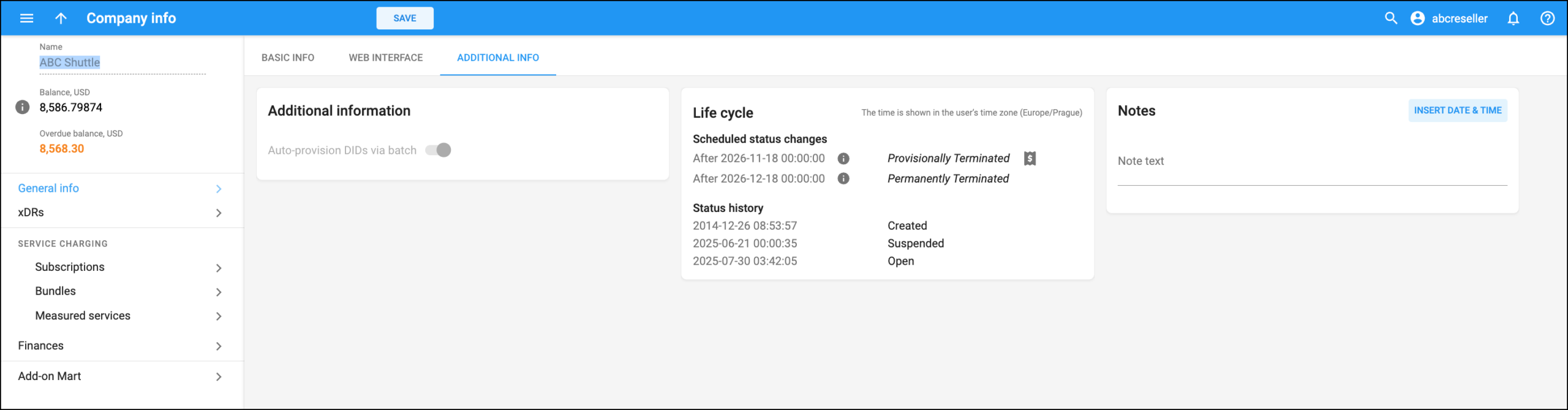
Additional information
Auto-provision DIDs via batch
In this section, you can verify whether the service provider permits the provisioning of DID numbers to your customers. If the Auto-provision DIDs via batch option is enabled, it indicates that this capability is allowed. Please note that this option is read-only, meaning it cannot be modified.
Refer to the Managing DIDs for resellers manually (DID inventory) to find out how to provision DID numbers to your customers.
Life cycle
In the Life cycle section, you can track important events in the life cycle.
Scheduled status changes
View the scheduled events for this reseller, such as provisional/permanent termination.
Status history
This is to track important events in a reseller's life cycle, such as when the recrd was created, blocked/unblocked, suspended or provisionally terminated /opened.
Notes
In this section, you can make notes. Click Insert date & time to add the current date and time below the note.


 Back to main menu