


On this panel, you can configure the metrics to track the resources allocated to your company and define which charges apply to their consumption.
Here you can also browse measured resource statistics in the form of graphs.
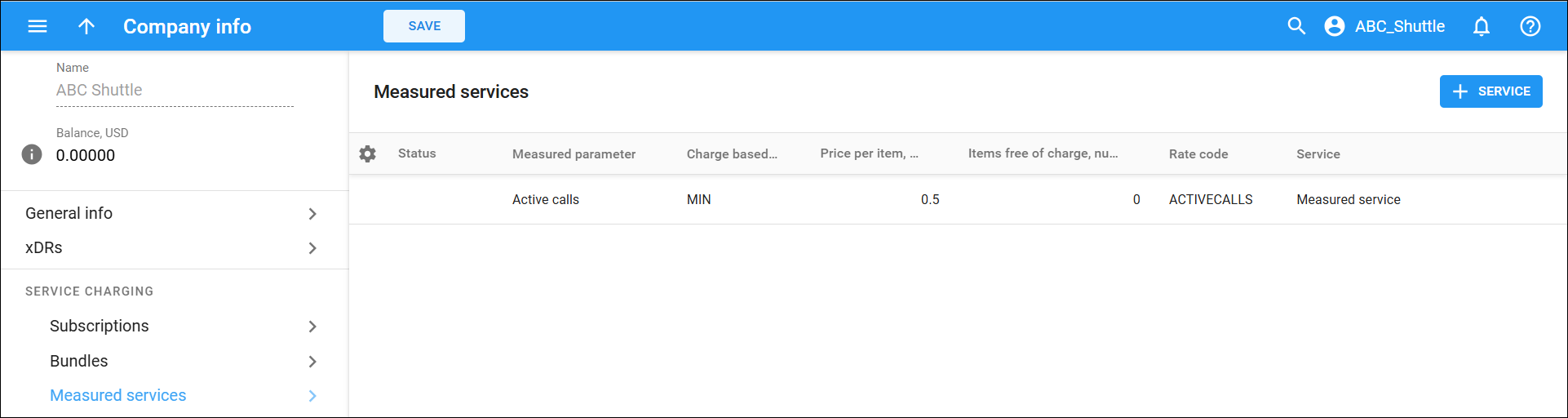
Status
The status of the measured service.
Measured parameter
The name of the resource to measure and bill for.
- Active calls – the actual number of connected calls at a specific moment in time.
- PBX Extensions – the number of extensions a reseller defines within their cloud PBX environment.
Charge based on
Charges for resource consumption are calculated based on these criteria:
- Do not apply charges – this option is set by default. It means that measured resource data will be used for statistical purposes only.
- Average – at the end of a billing period, PortaBilling collects aggregated measurements and calculates their their average, which is then used for calculating a reseller’s charges.
- Maximum – at the end of a billing period, PortaBilling collects aggregated measurements, extracts their maximum value, and uses that to assess a reseller’s charges.
- Minimum – at the end of a billing period, PortaBilling collects aggregated measurements, extracts their minimum value, and uses that to assess a reseller’s charges.
You can define a metric for every measured resource type only once per reseller.
Price per item
The price for each consumed unit of resources.
Items free of charge
The amount of consumed units of resources that the reseller will not be charged for.
Rate code
The rate code used to calculate charges for resources consumed. This rate code is shown in the reseller’s xDRs and invoices.
Service
The service type used to calculate charges for resources consumed. This service type is shown in the reseller’s xDRs and invoices.
Add measured service
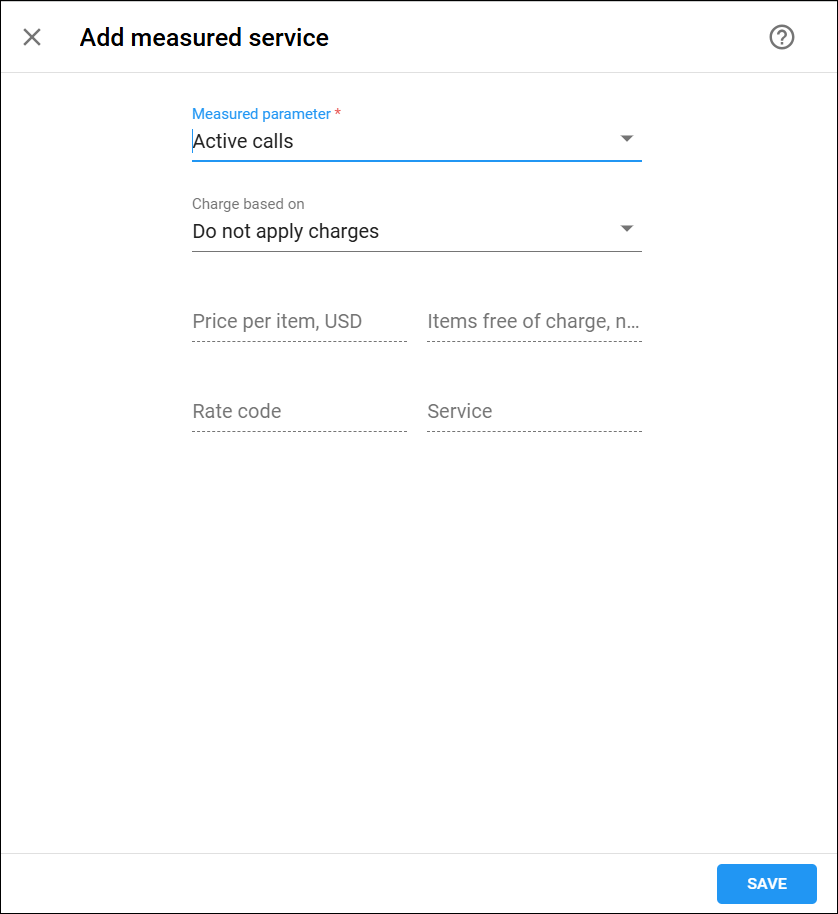
To add a measured service, click +Service and fill in the details. Click Save to save the changes. You can define a metric for every measured resource type only once per reseller.
Measured parameter
Select the resource you want to measure and bill from the dropdown list.
Charge based on
Define how to calculate charges for resources consumed. Select the criteria from the dropdown list.
- Do not apply charges – the measured resource data will be used for statistical purposes only.
- AVG – at the end of a billing period, PortaBilling collects aggregated measurements and calculates their average. This average is then used for calculating a reseller’s charges.
- MAX – at the end of a billing period, PortaBilling collects aggregated measurements, extracts their maximum value, and uses that to assess a reseller’s charges.
- MIN – at the end of a billing period, PortaBilling collects aggregated measurements, extracts their minimum value, and uses that to calculate a reseller’s charges.
Price per item
Set the price for each consumed unit of resources.
Items free of charge
Set the amount of consumed units of resources that the reseller will not be charged for.
Rate code
Select the rate code from the dropdown list to calculate charges for resources consumed.
Service
Select the service type from the dropdown list used to calculate charges for resources consumed.


 Back to main menu